How to track domain expiry in GuardYak
If a domain registration lapses, the website and email stop working, and someone else can register the name. A domain expiry check reads the registration date from WHOIS and reminds you while there's still time to renew.
Before you start
- A GuardYak account (every check type is available on the free plan)
Plays silently with captions; the narrated version is on its way.
Transcript
Never lose a client's domain to a missed renewal. Here's how to track domain expiry in GuardYak.
Start a new check and choose Domain Expiry.
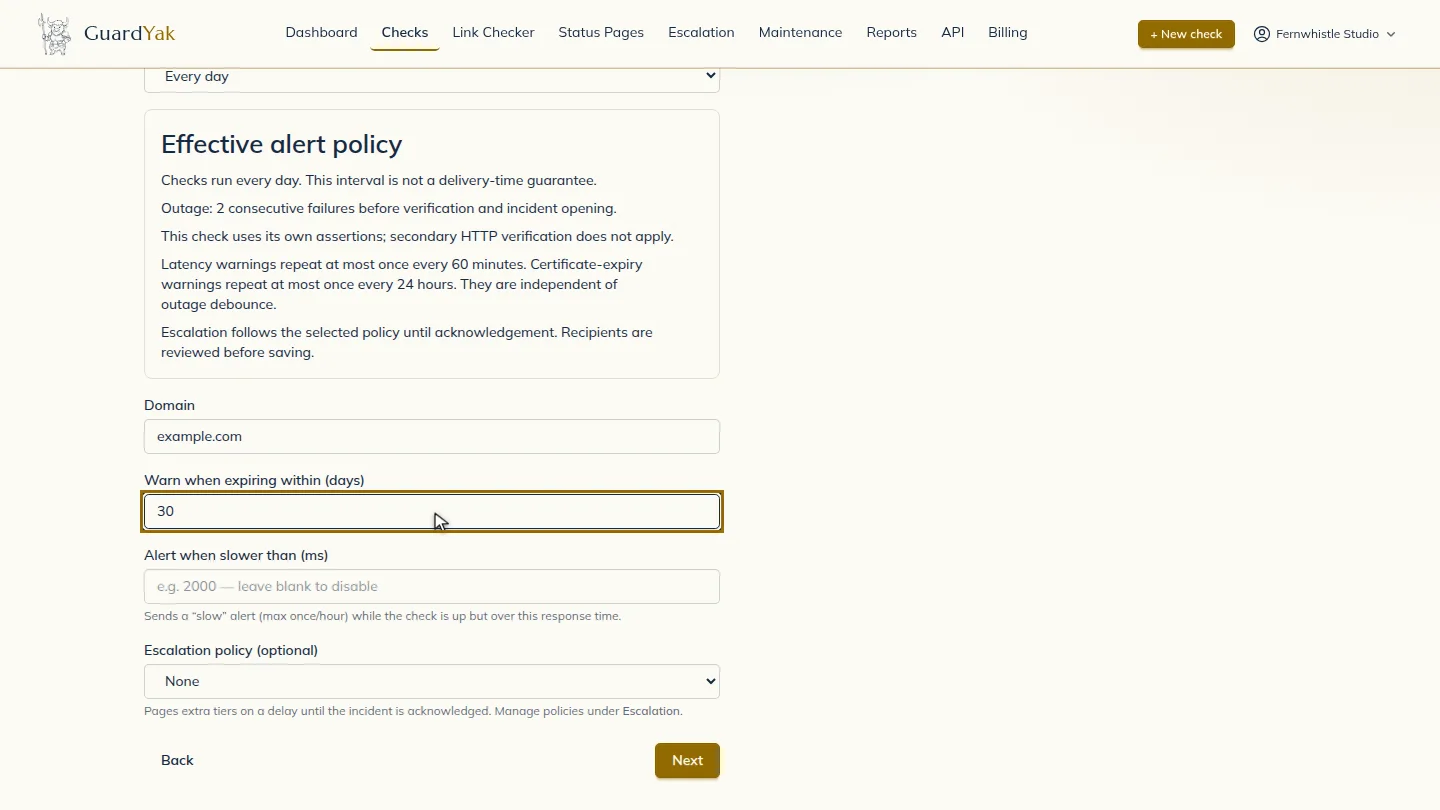
Name the check, enter the domain, and choose how much warning you want. Thirty days covers a slow approval from the client.
Select Next, then add the email address that should hear about problems.
Select Review, check the summary, and create it. The new check joins your list, and GuardYak starts checking on its next run.
Steps
Choose the check type ▶ 0:08
In Checks, select + New check, then select Domain Expiry.
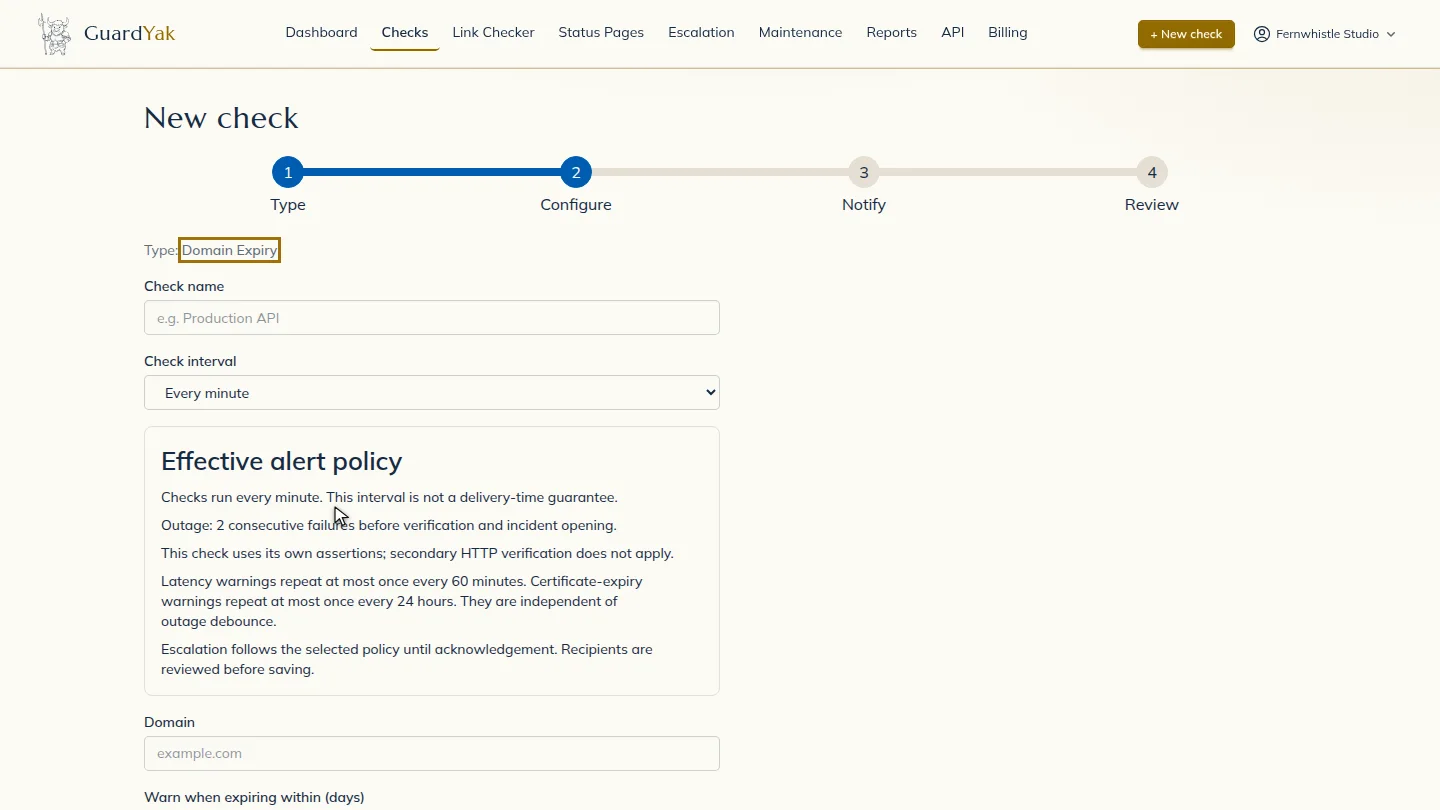
Fill in the details ▶ 0:11
Enter a Check name and the Domain, then set Warn when expiring within (days). Every day is plenty for this kind of check.
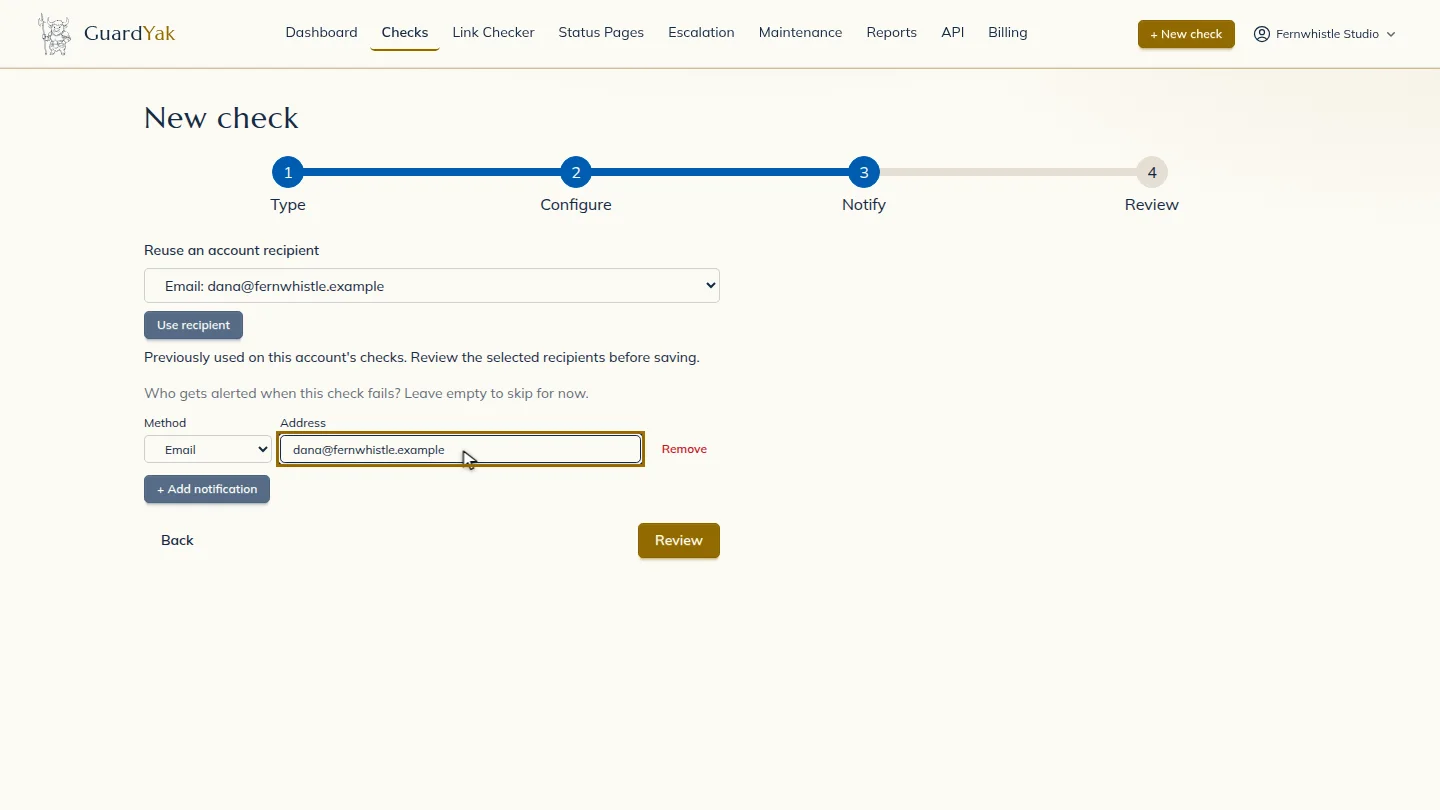
Choose who gets alerts ▶ 0:20
Select Next. Under Address, enter the email that should receive alerts.
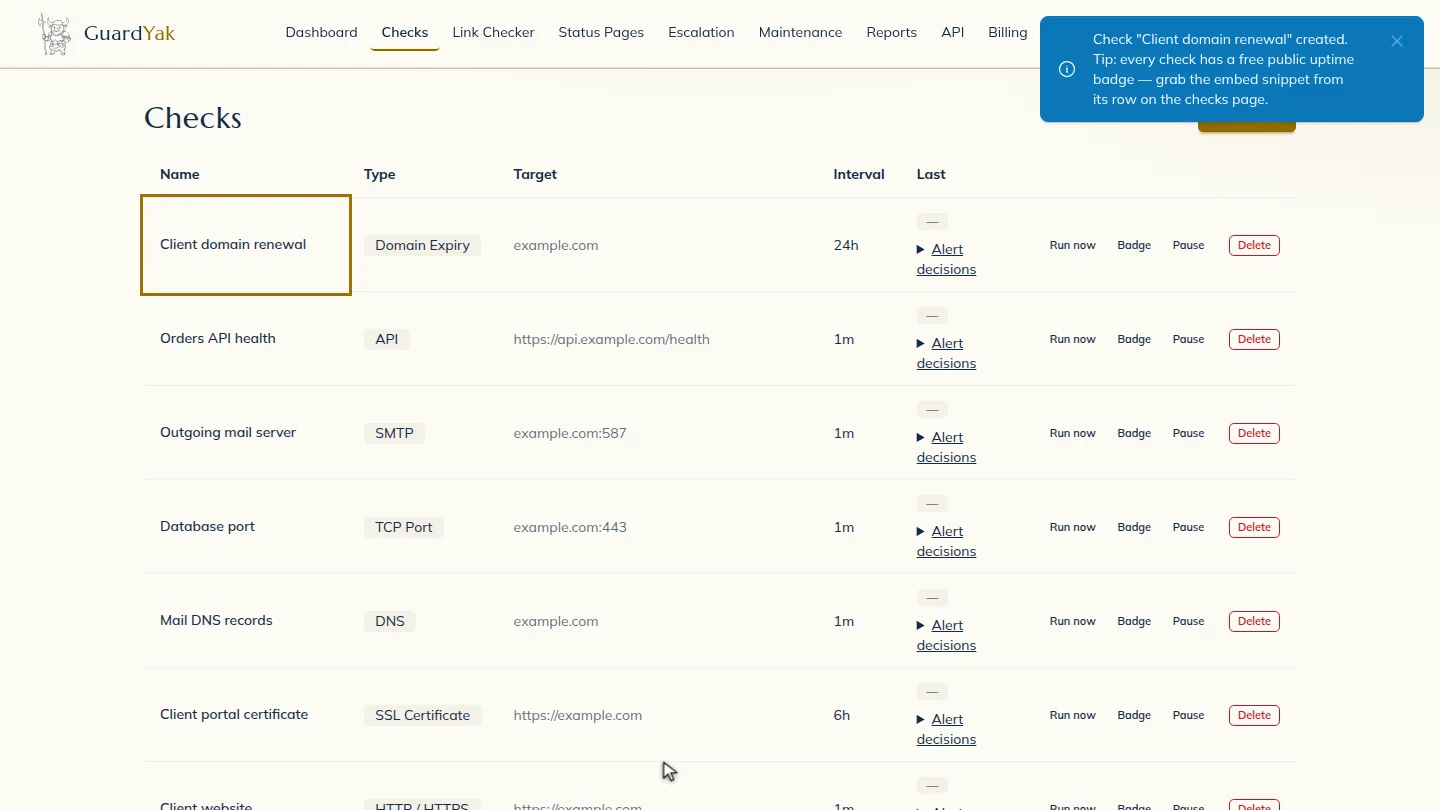
Create the check ▶ 0:26
Select Review, check the summary, then select Create check. The new check appears on Checks.
Next steps
Updated 2026-11-03
domain expiry monitoring domain renewal reminder whois expiry check domain expiration alert