How to monitor Core Web Vitals in GuardYak
A slow page loses visitors and search ranking long before it goes down. A Core Web Vitals check runs a Lighthouse test through Google PageSpeed and alerts you when the performance score or Largest Contentful Paint gets worse than your limit.
Before you start
- A GuardYak account (every check type is available on the free plan)
Plays silently with captions; the narrated version is on its way.
Transcript
Catch a slow page before it costs you visitors and search ranking. Here's how to monitor Core Web Vitals in GuardYak.
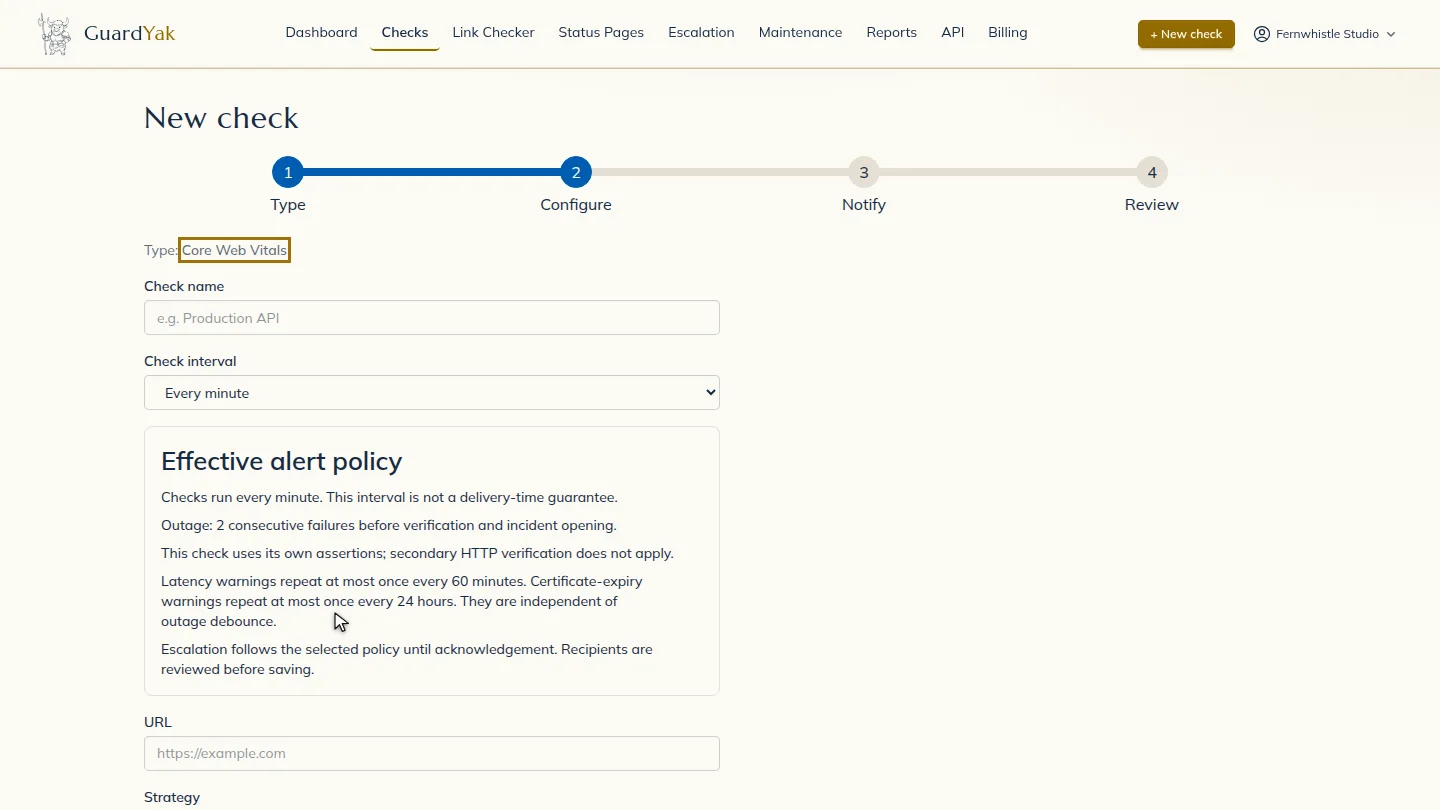
Start a new check and choose Core Web Vitals.
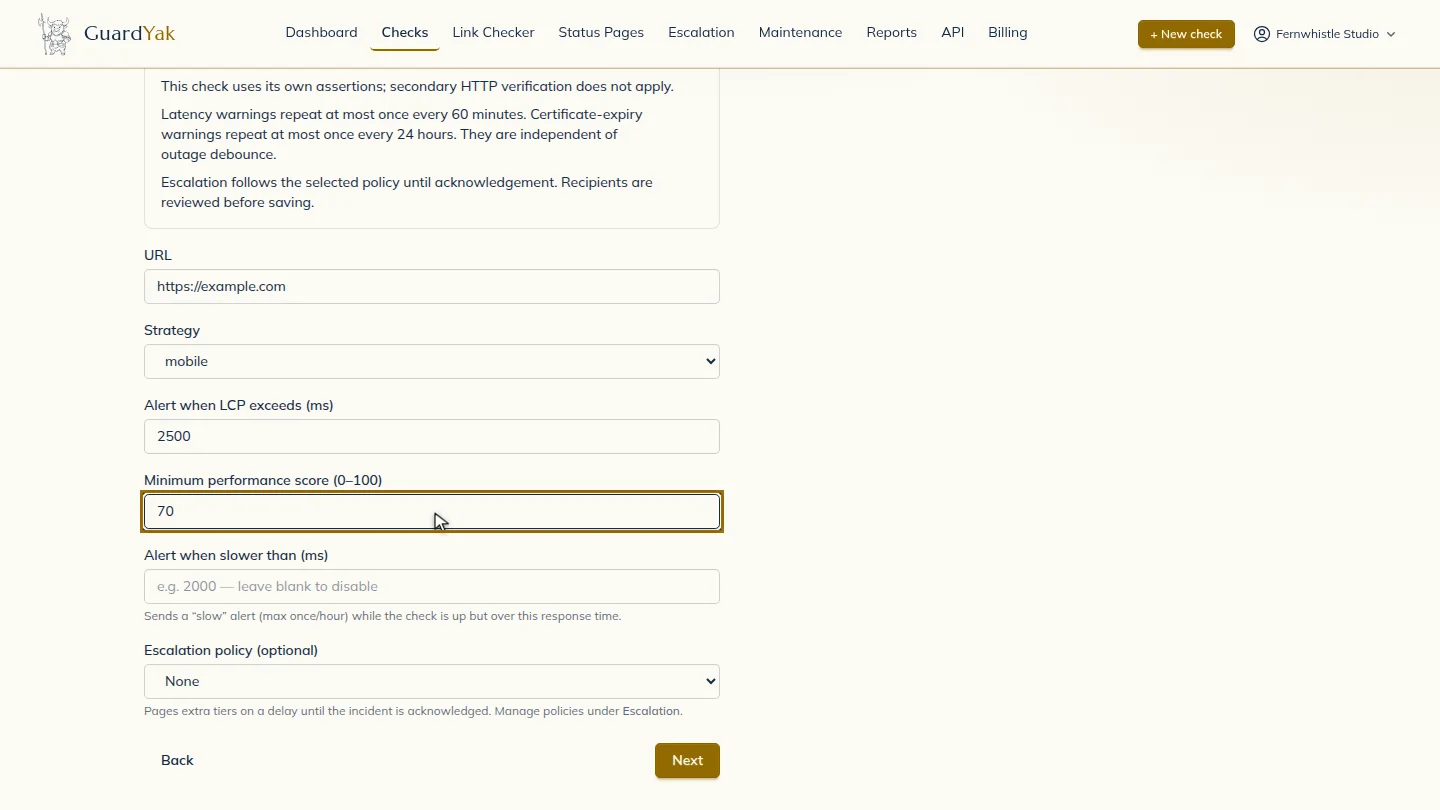
Name the check, paste the page address, and choose mobile or desktop. Then set your limits: alert when the largest content takes over two and a half seconds, or the score drops below seventy.
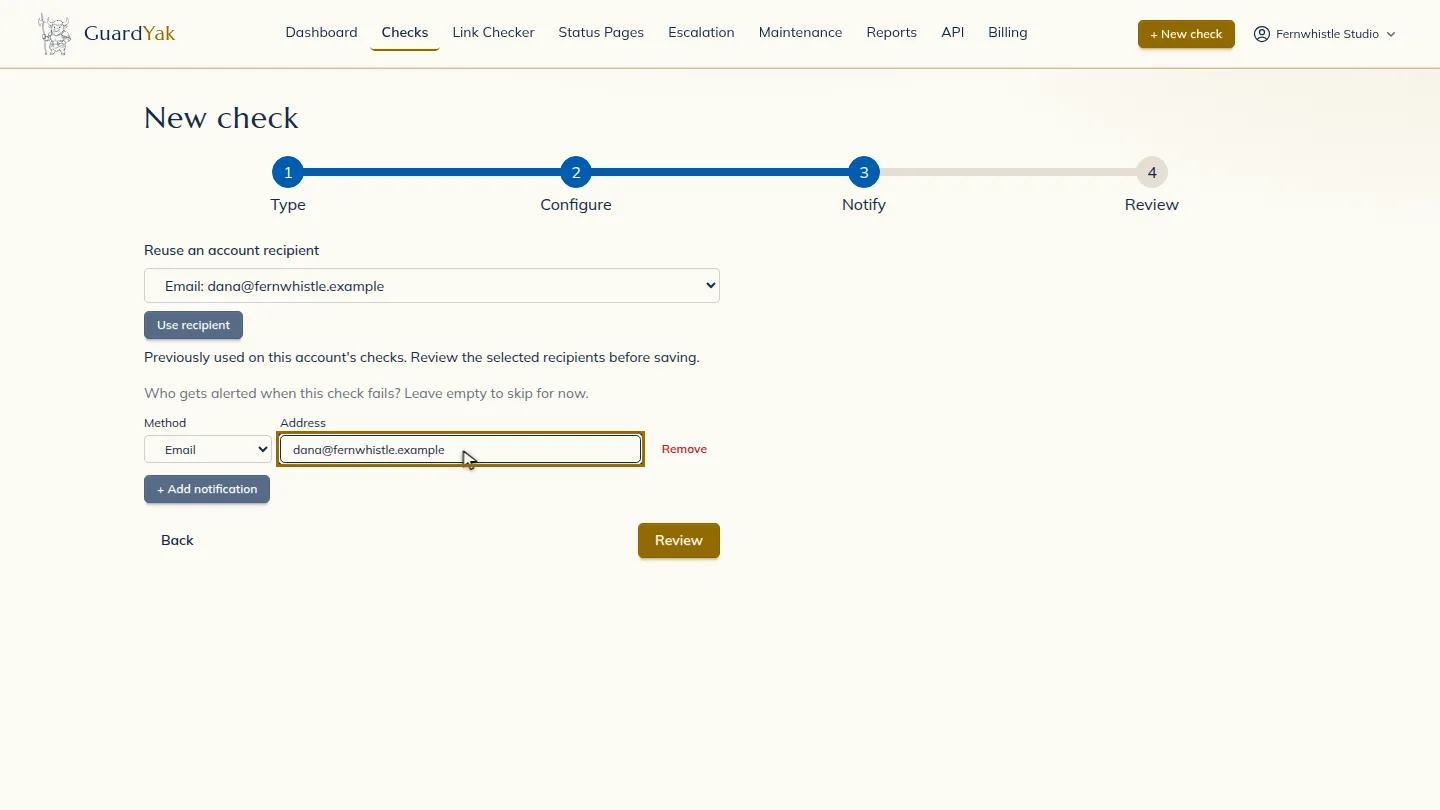
Select Next, then add the email address that should hear about problems.
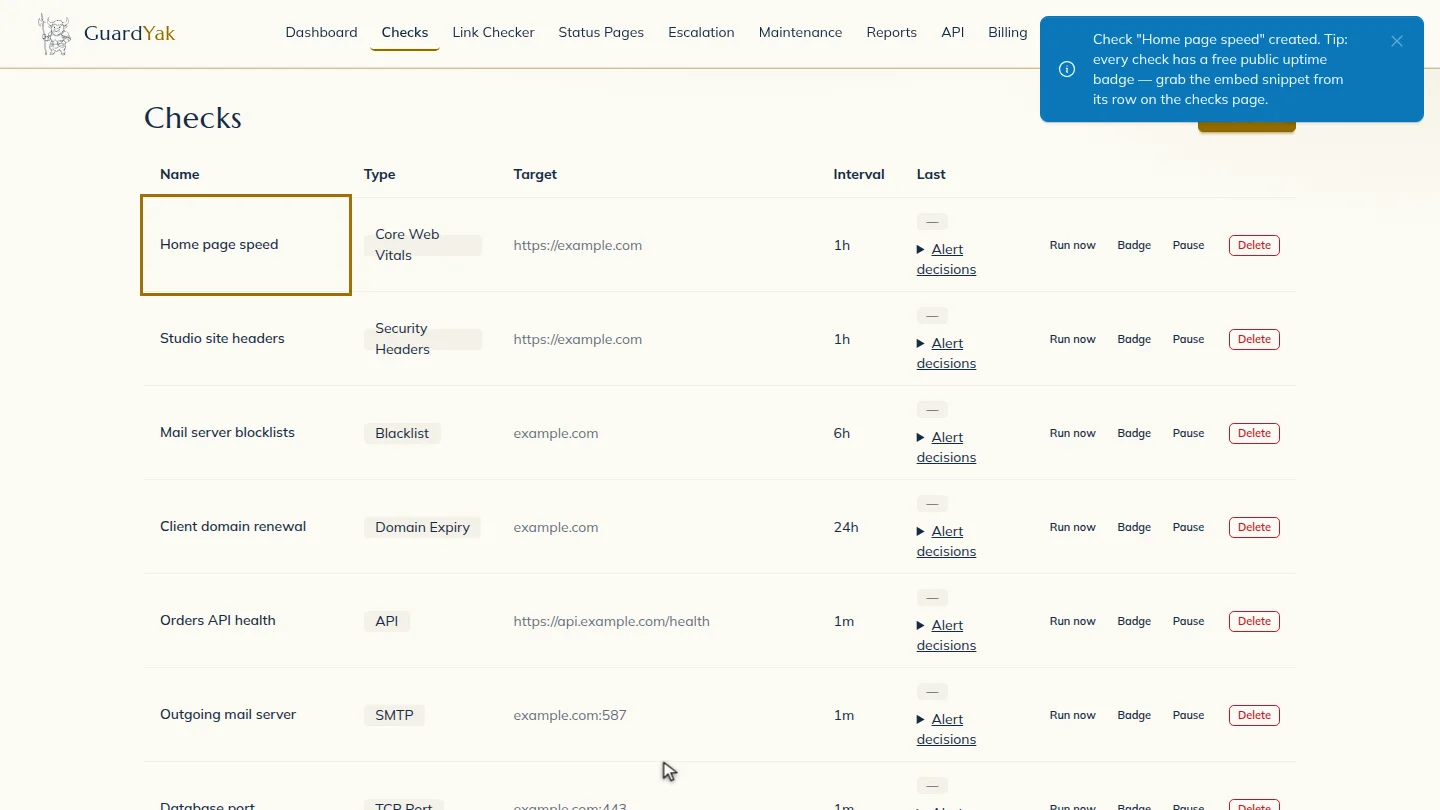
Select Review, check the summary, and create it. The new check joins your list, and GuardYak starts checking on its next run.
Steps
Choose the check type ▶ 0:09
In Checks, select + New check, then select Core Web Vitals.
Fill in the details ▶ 0:13
Enter a Check name and the page URL, choose the Strategy, then set Alert when LCP exceeds (ms) and Minimum performance score (0–100). Every hour is plenty for this kind of check.
Choose who gets alerts ▶ 0:27
Select Next. Under Address, enter the email that should receive alerts.
Create the check ▶ 0:32
Select Review, check the summary, then select Create check. The new check appears on Checks.
Next steps
Updated 2026-11-03
core web vitals monitoring lighthouse score alert page speed monitor lcp monitoring