How to monitor an SSL certificate in GuardYak
An expired certificate puts a full-page security warning in front of every visitor. An SSL check looks at the certificate a site presents, confirms it is trusted and matches the hostname, and warns you weeks before it expires.
Before you start
- A GuardYak account (every check type is available on the free plan)
Plays silently with captions; the narrated version is on its way.
Transcript
Find out weeks before a certificate expires, not when visitors see a security warning. Here's how to monitor an SSL certificate in GuardYak.
Start a new check and choose SSL Certificate.
Name the check, then paste the site's address. Set how many days of warning you want. Twenty-one gives you three weeks to renew.
Select Next, then add the email address that should hear about problems.
Select Review, check the summary, and create it. The new check joins your list, and GuardYak starts checking on its next run.
Steps
Choose the check type ▶ 0:11
In Checks, select + New check, then select SSL Certificate.
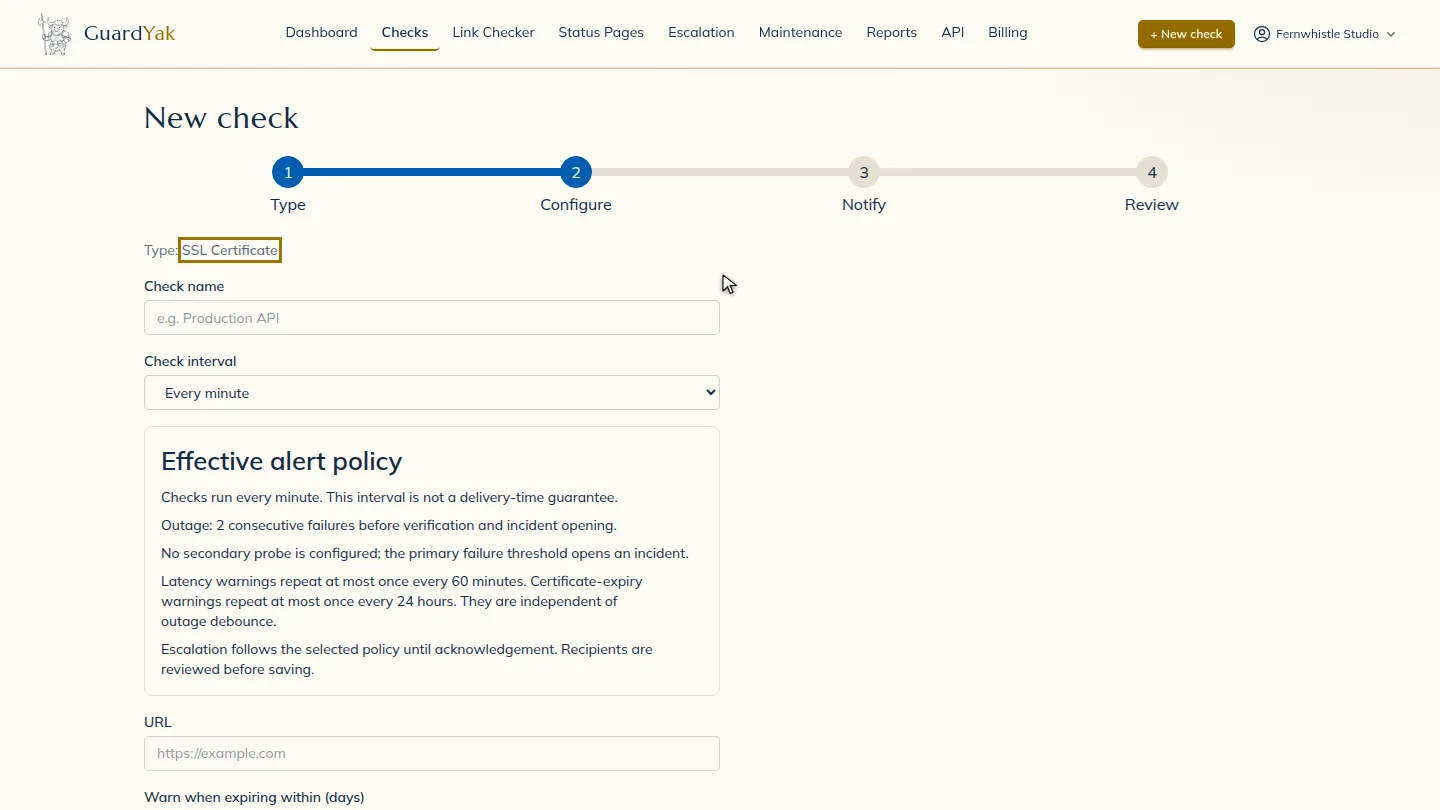
Fill in the details ▶ 0:15
Enter a Check name and the site's URL, then set Warn when expiring within (days). The check also fails if the certificate isn't trusted or doesn't match the hostname. Every 6 hours is plenty for this kind of check.
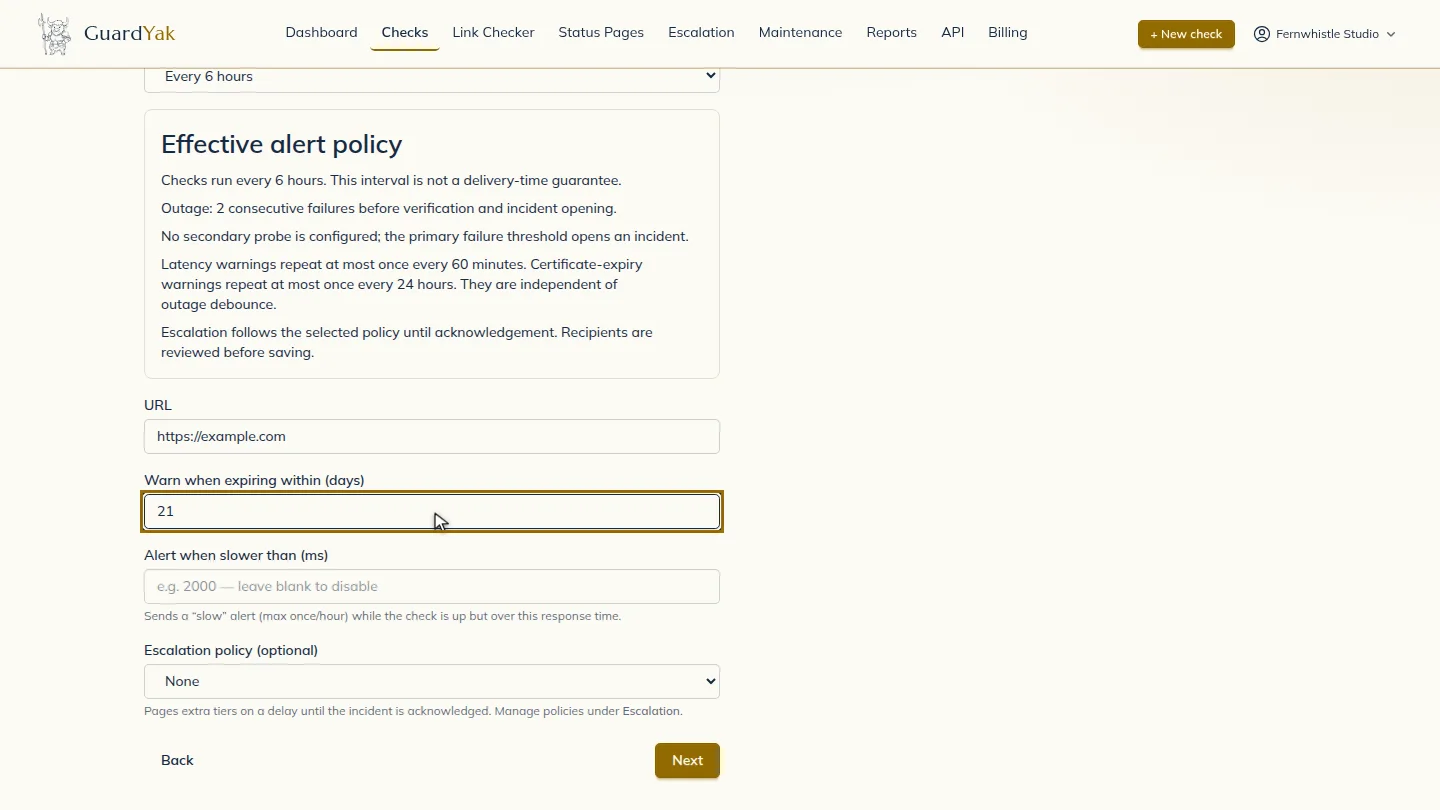
Choose who gets alerts ▶ 0:24
Select Next. Under Address, enter the email that should receive alerts.
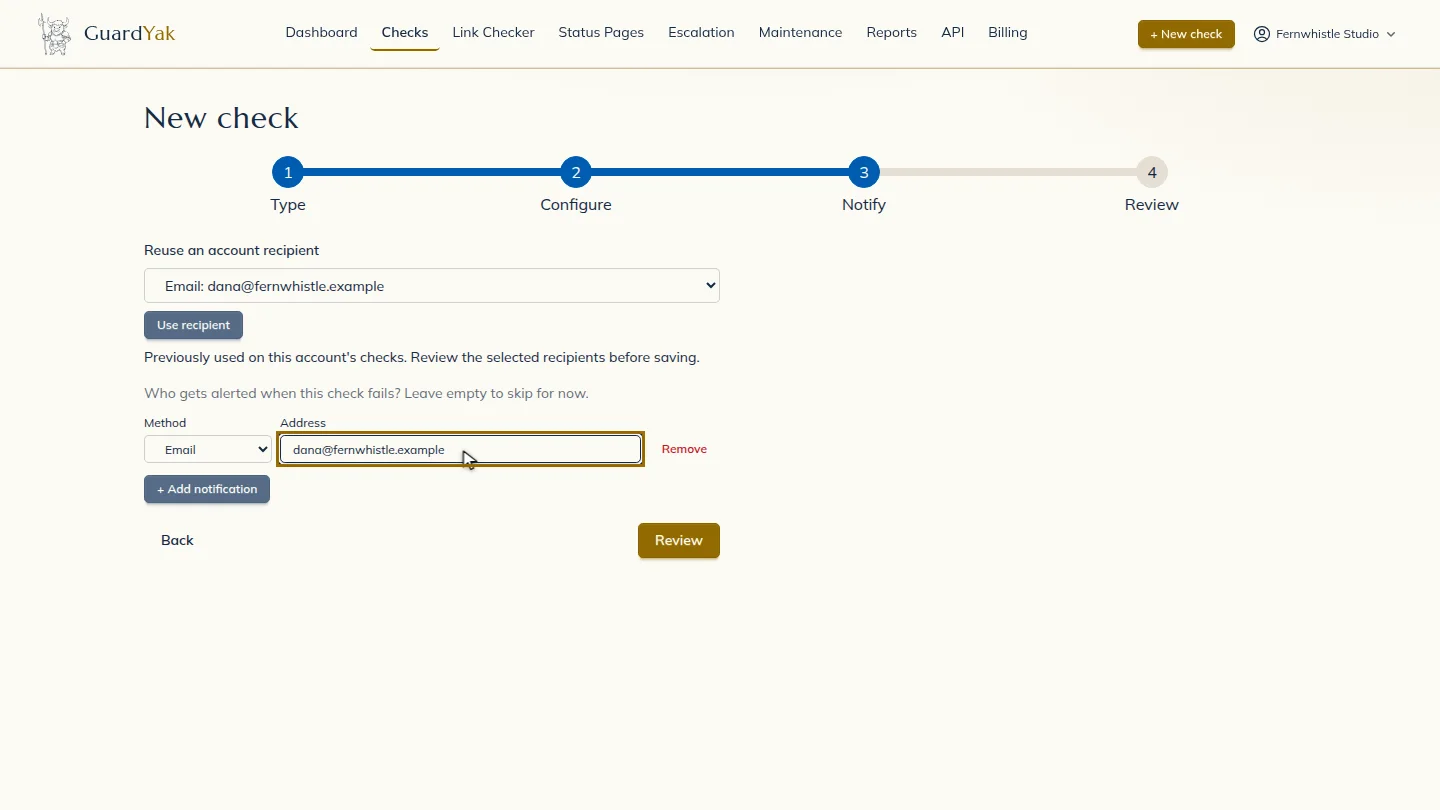
Create the check ▶ 0:30
Select Review, check the summary, then select Create check. The new check appears on Checks.
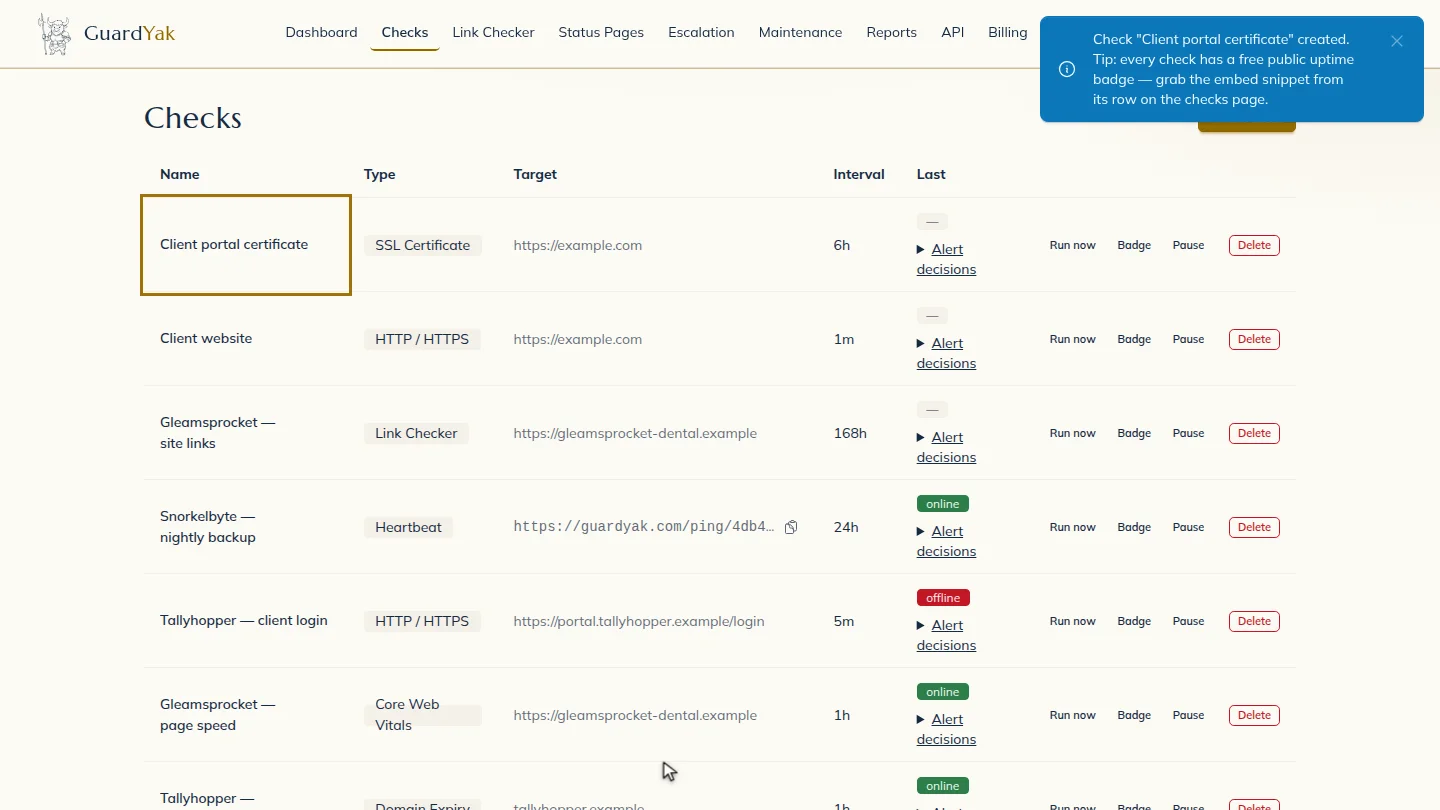
Next steps
Updated 2026-11-03
ssl certificate monitoring certificate expiry alert https certificate check ssl expiration reminder