How to monitor a cron job with a heartbeat in GuardYak
Backups and scheduled jobs fail silently: nothing crashes, the job just doesn't run. A heartbeat check gives the job a URL to request every time it finishes, and alerts you when a request doesn't arrive on schedule.
Before you start
- A GuardYak account (every check type is available on the free plan)
Plays silently with captions; the narrated version is on its way.
Transcript
Find out when a backup or scheduled job quietly stops running. Here's how to monitor a cron job with a heartbeat in GuardYak.
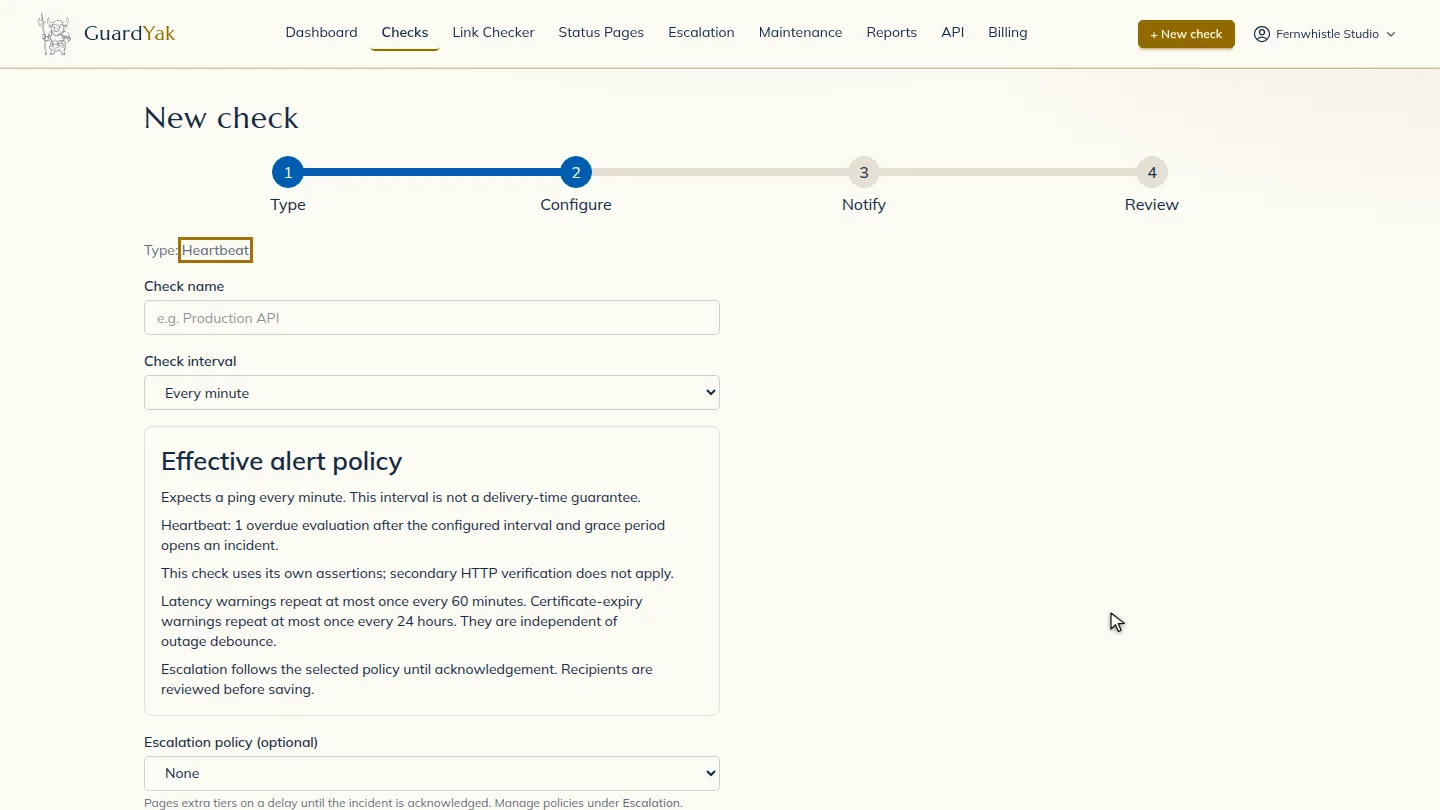
Start a new check and choose Heartbeat. Instead of GuardYak calling your server, your job calls GuardYak.
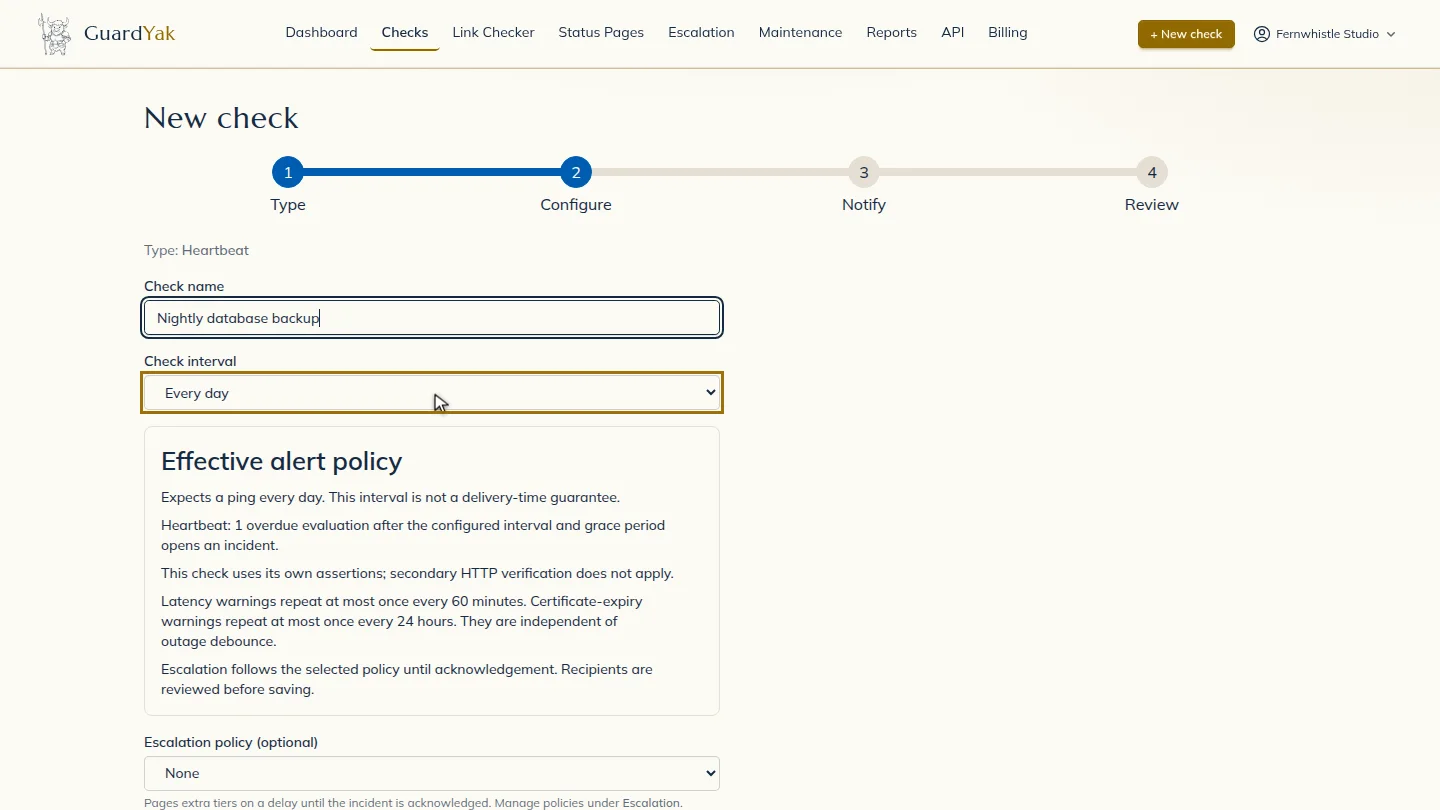
Name the check after the job, and set the interval to how often it runs. A nightly backup runs every day.
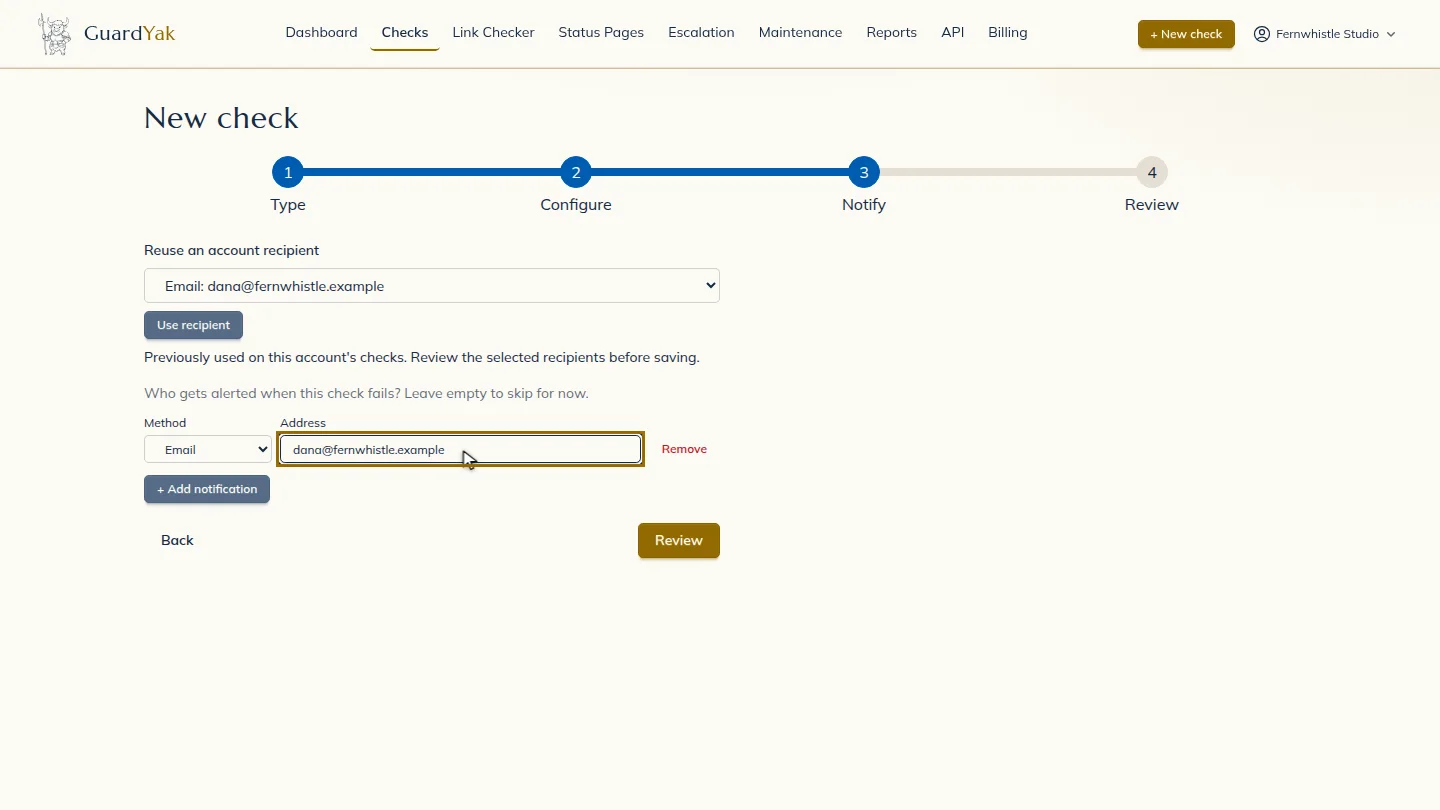
Select Next, then add the email address that should hear about problems.
Select Review and create the check.
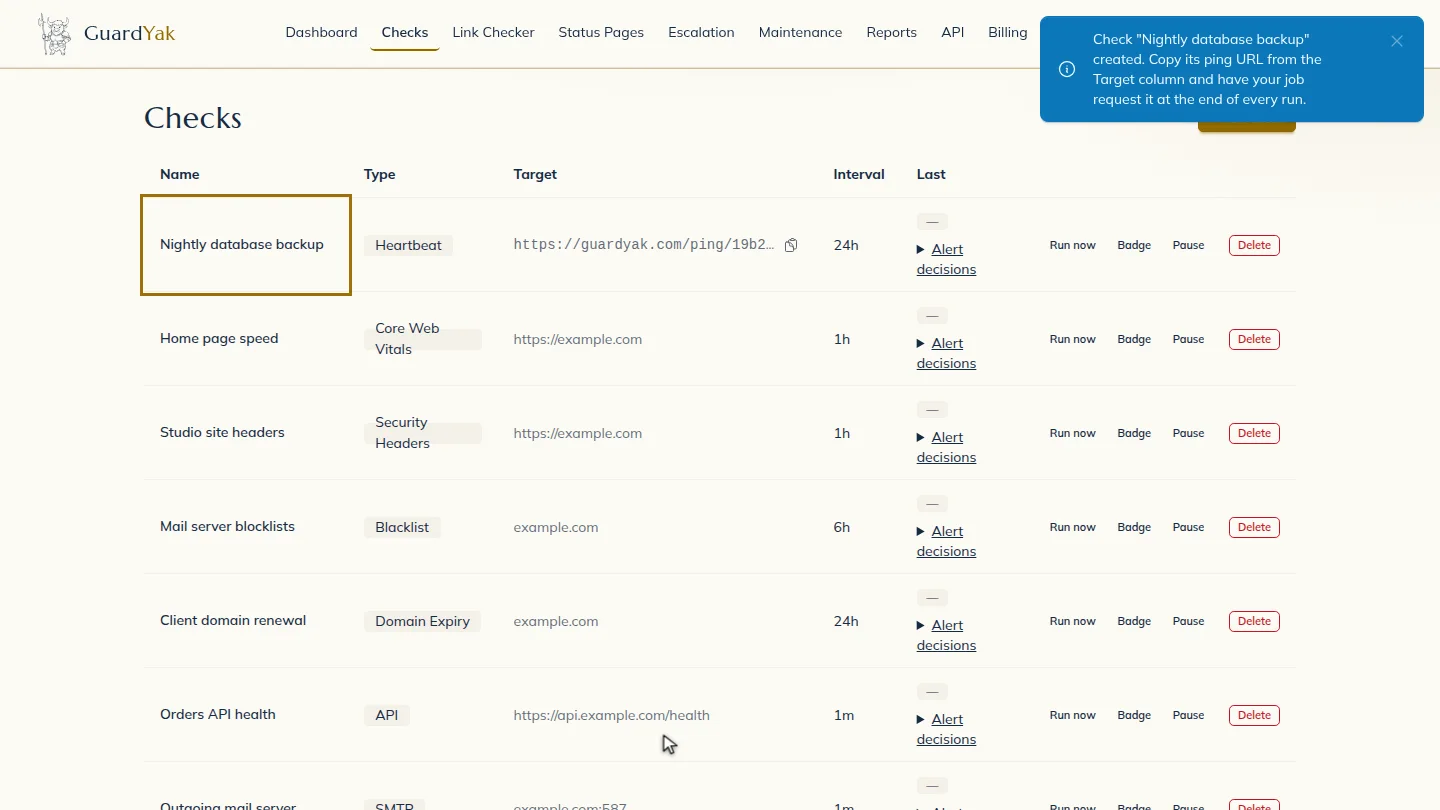
Copy the ping URL from the Target column. Add a request to it at the end of your job, and if a run is missed, GuardYak alerts you.
Steps
Choose the check type ▶ 0:10
In Checks, select + New check, then select Heartbeat.
Name it and set how often it runs ▶ 0:18
Enter a Check name, then set Check interval to how often the job runs, for example Every day.
Choose who gets alerts ▶ 0:26
Select Next. Under Address, enter the email that should receive alerts.
Create the check ▶ 0:31
Select Review, check the summary, then select Create check. The new check appears on Checks.
Copy the ping URL into your job ▶ 0:34
On Checks, select Copy ping URL in the new check's Target column. Make the last line of your job request it, for example
curl -fsS <ping URL>.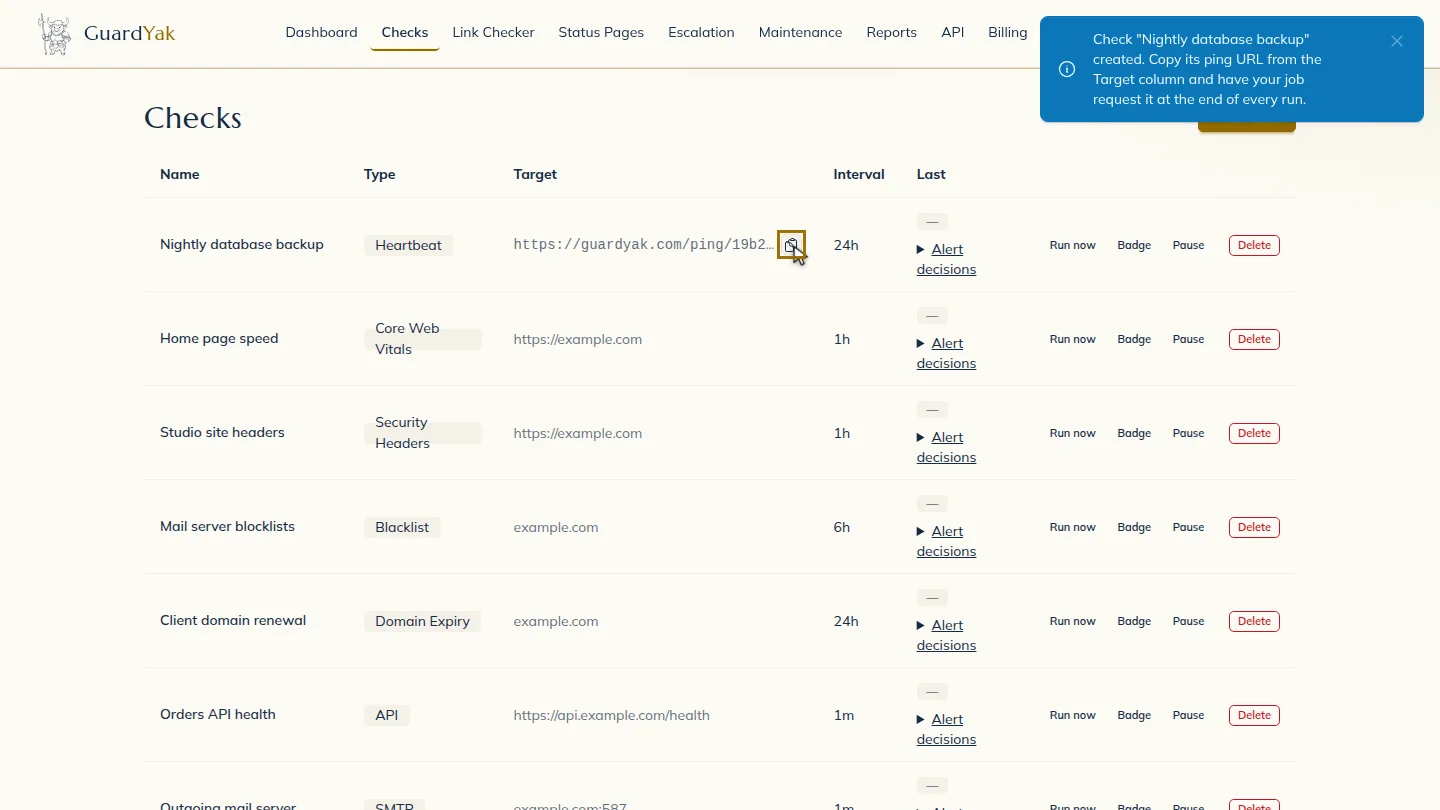
Next steps
Updated 2026-11-03
cron job monitoring heartbeat monitor backup job alert dead man's switch