How to create a public status page in GuardYak
During an outage, clients want to know you've noticed. A status page shows the live state of the checks you choose at a public link, so they can look it up instead of emailing you.
Before you start
- At least one check
Plays silently with captions; the narrated version is on its way.
Transcript
Give a client a public page that shows whether their services are up.
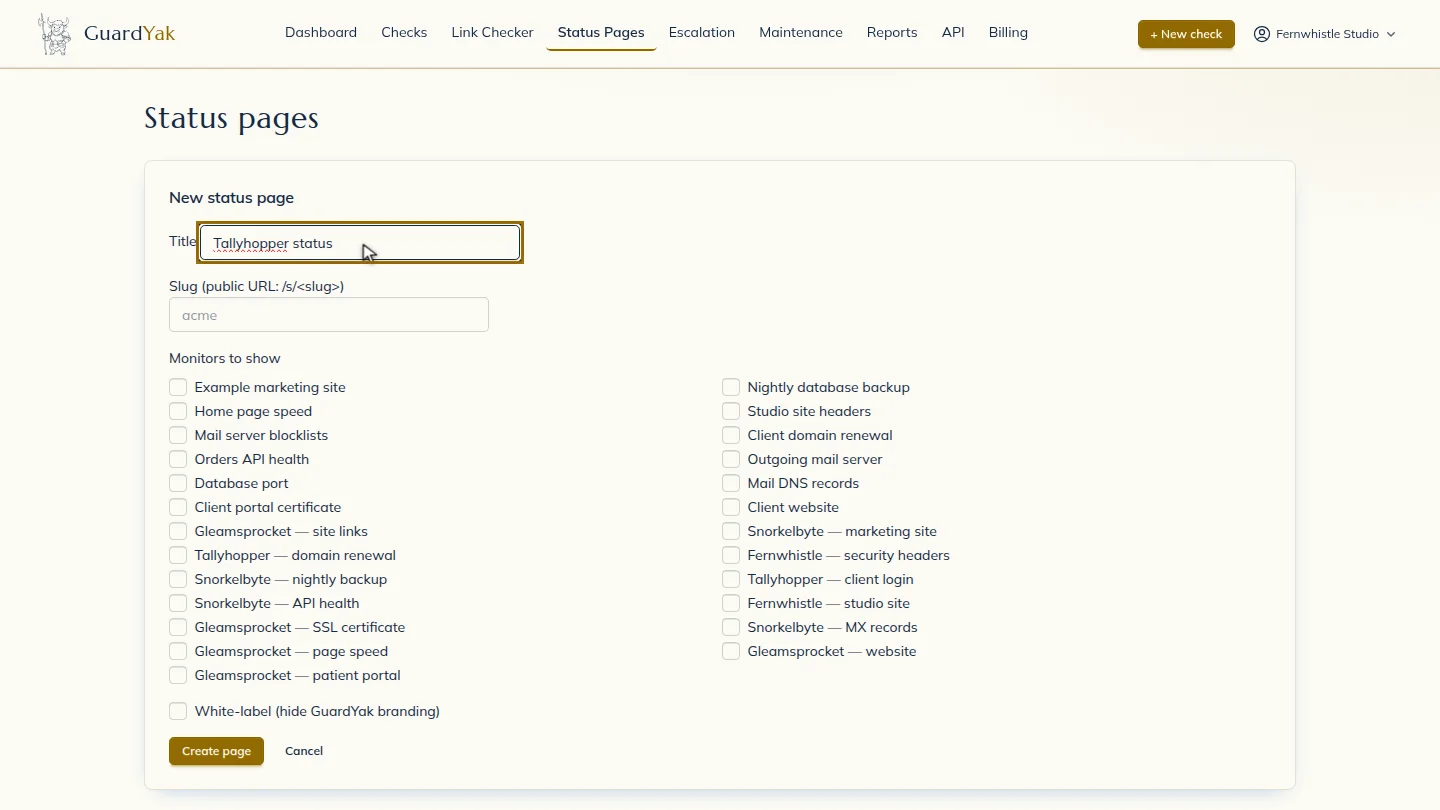
On Status pages, select New status page, and give it a title your client will recognise.
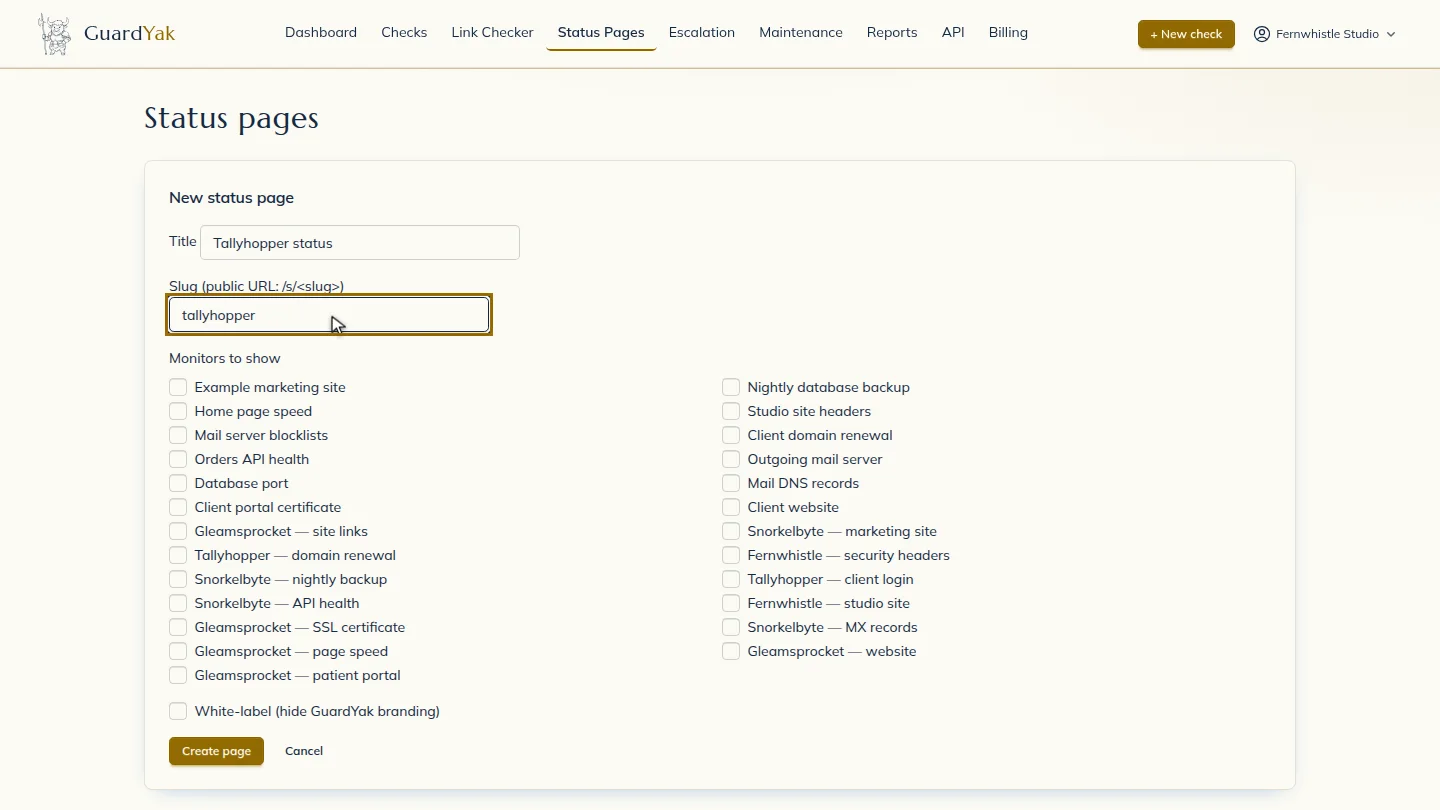
Choose the short name for its public link. This becomes the slash s address you share.
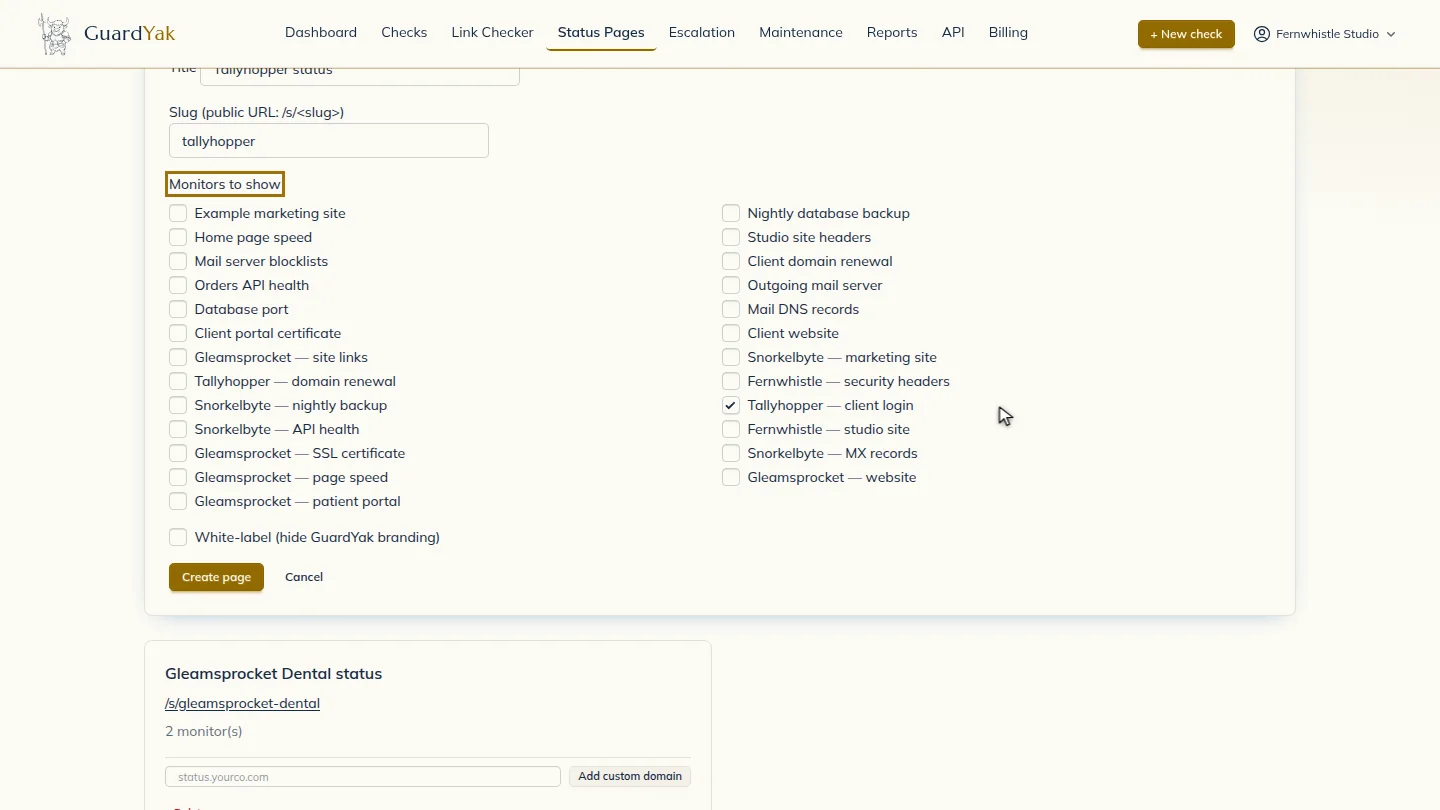
Under Monitors to show, tick the checks this client should see. Only the checks you pick are public, so internal monitors stay private.
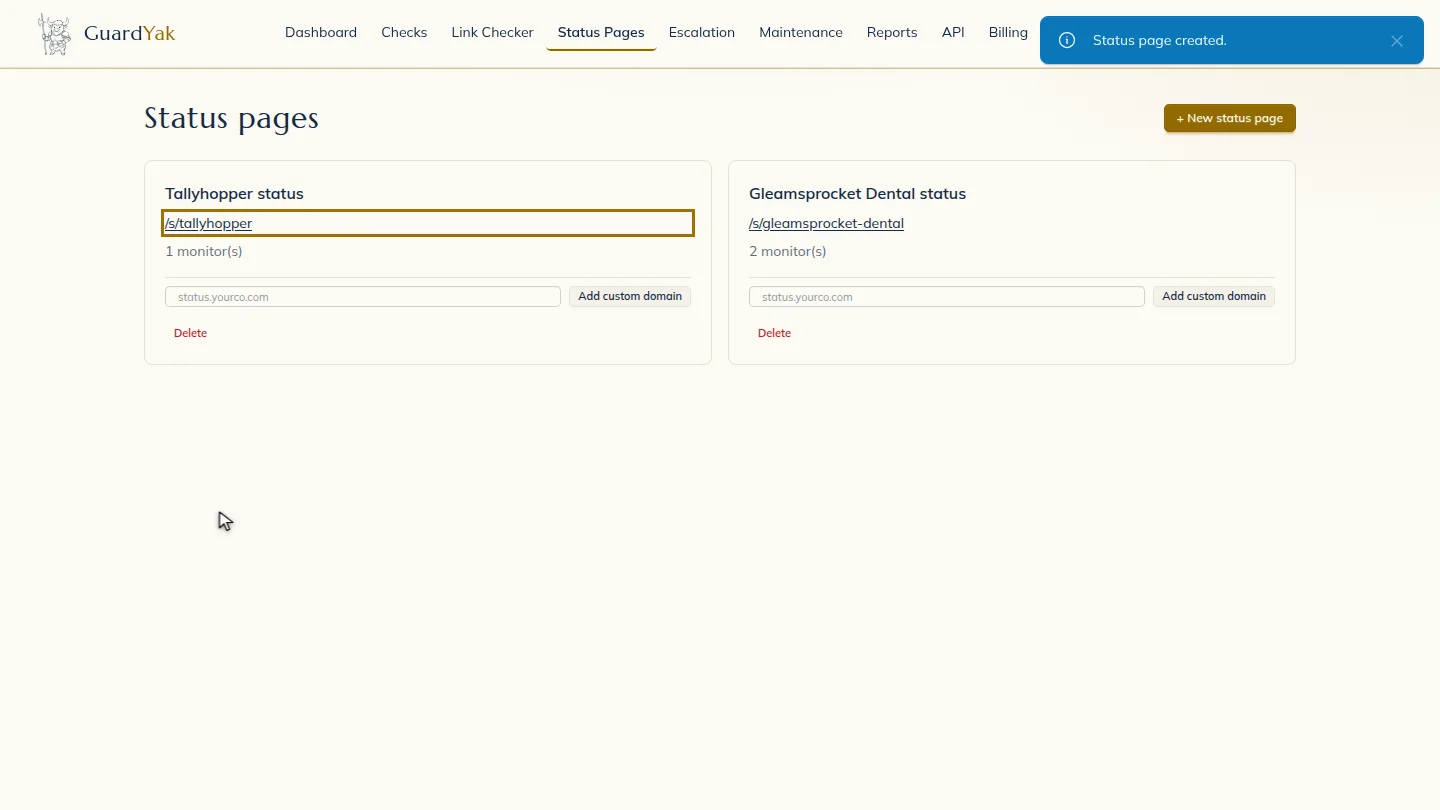
Create the page. Its public link is ready to share straight away. Add it to the client's website footer or support emails, so customers check it first during an outage.
Steps
Start a new page ▶ 0:06
In Status pages, select + New status page, then enter a Title.
Choose the link ▶ 0:13
For Slug, enter the short name that forms the page's public /s/ link.
Pick the checks to show ▶ 0:19
Under Monitors to show, select the checks to include.
Create and share it ▶ 0:29
Select Create page. Copy the page's /s/ link and send it to your client.
Next steps
Updated 2026-10-26
status page public uptime page service status