How to create a website check in GuardYak
If a client's site goes down at 2 a.m., you want to hear about it before they do. A website check requests the page on a schedule, records the status code and response time, and emails you when it stops answering.
Before you start
- A GuardYak account (the free plan includes website checks)
Plays silently with captions; the narrated version is on its way.
Transcript
Get an email the moment a website stops responding. Here's how to set up a website check in GuardYak.
Start a new check and choose HTTP or HTTPS. That's the check for any page you can open in a browser.
Give the check a name you'll recognise in an alert, and paste the page address. By default it checks every minute and expects a two hundred response.
Select Next, then choose who hears about failures. Email is selected, so add your address.
Select Review, check the summary, and create it. The new check joins your Checks list, and its status appears under Last after the first run.
Steps
Choose the check type ▶ 0:08
In Checks, select + New check, then select HTTP / HTTPS.
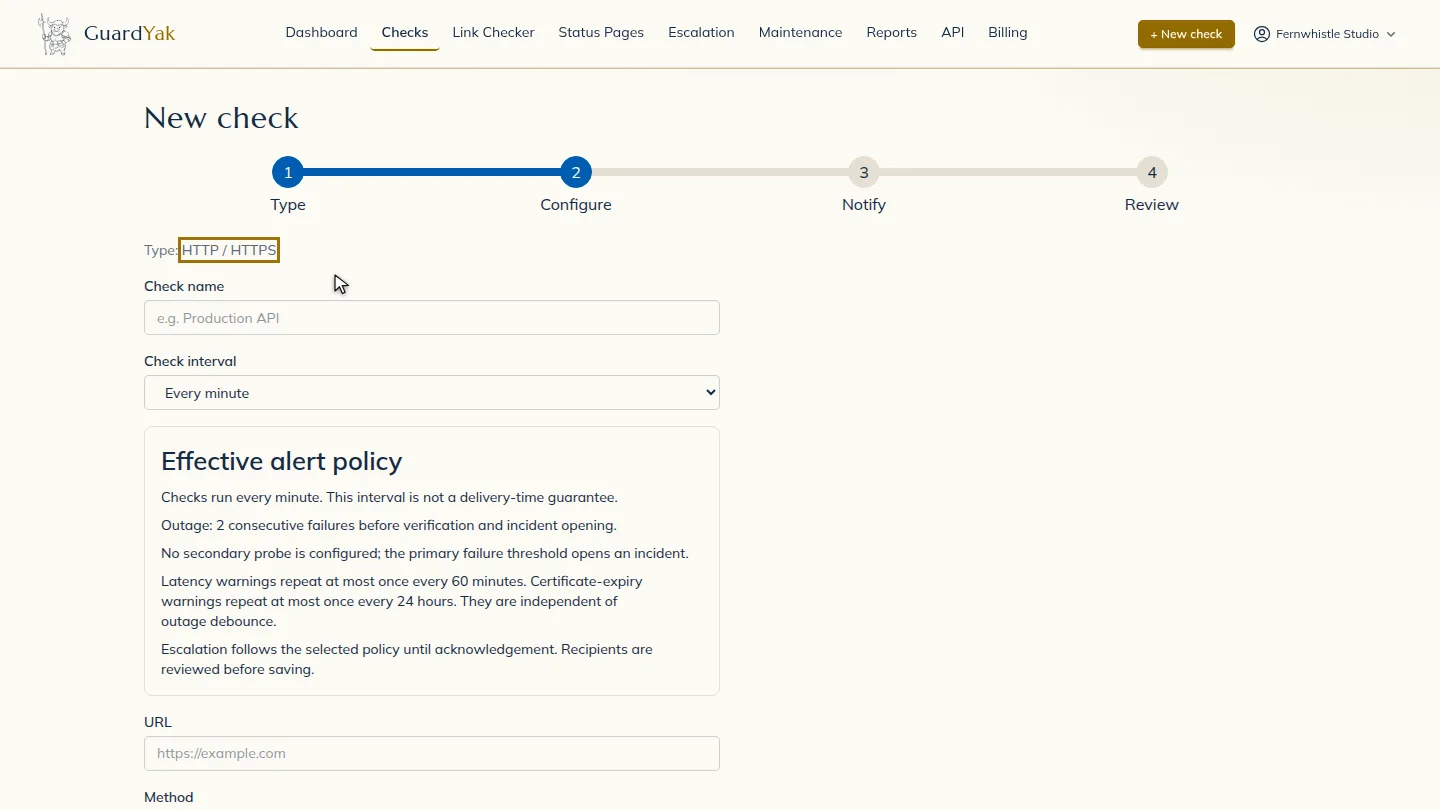
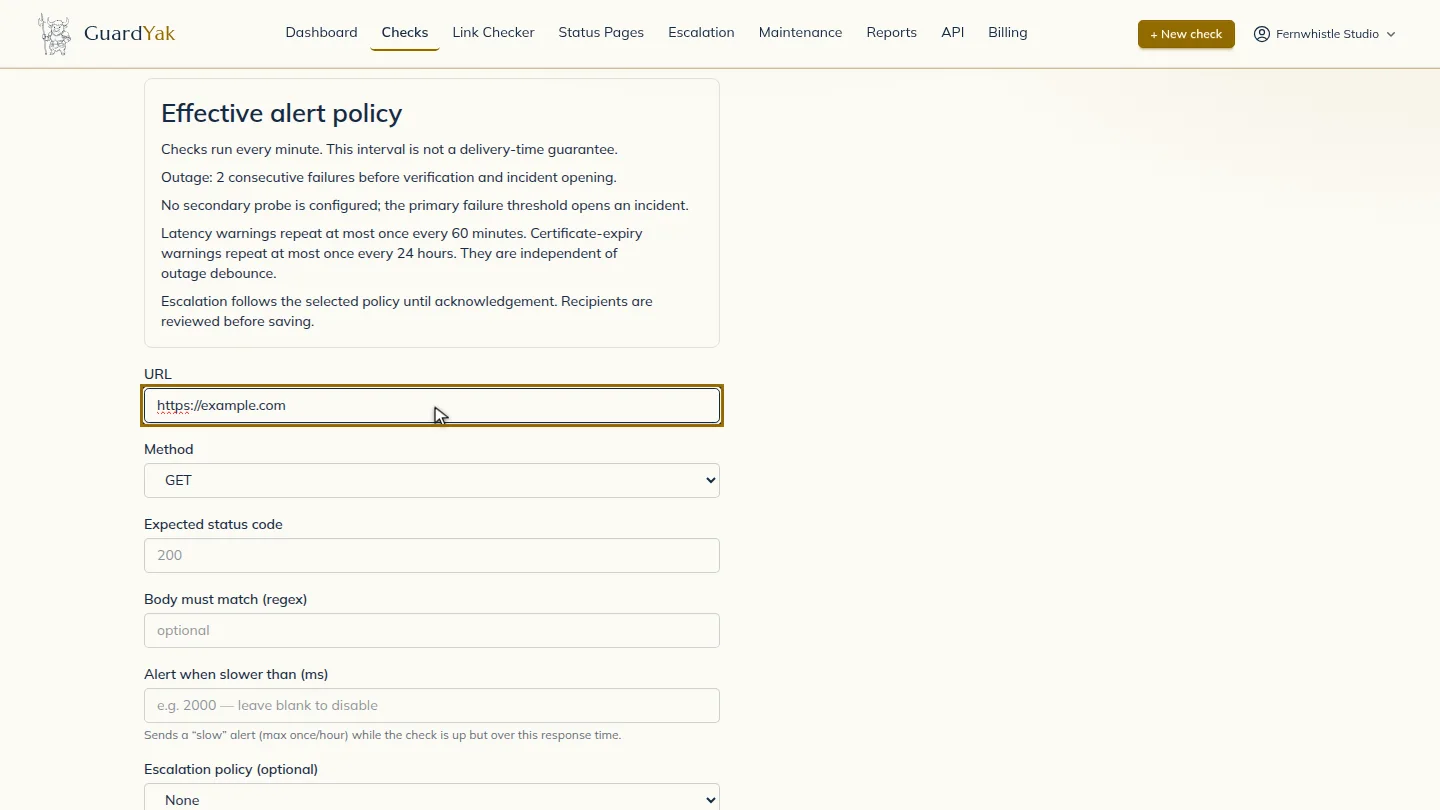
Name the check and add the URL ▶ 0:16
Enter a Check name and the page's URL. By default the check runs Every minute with Method GET and Expected status code 200.
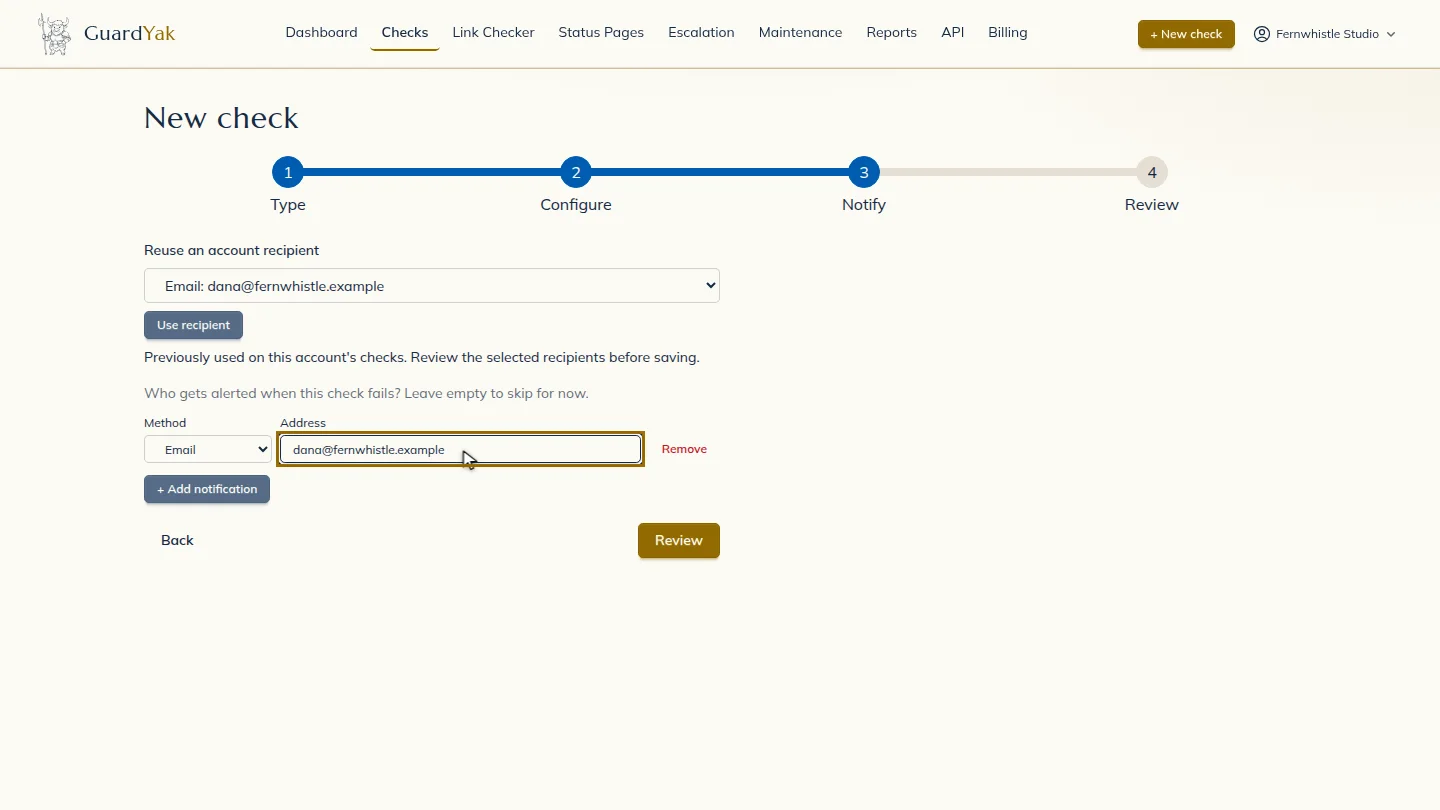
Choose who gets alerts ▶ 0:26
Select Next. Under Address, enter the email that should receive alerts.
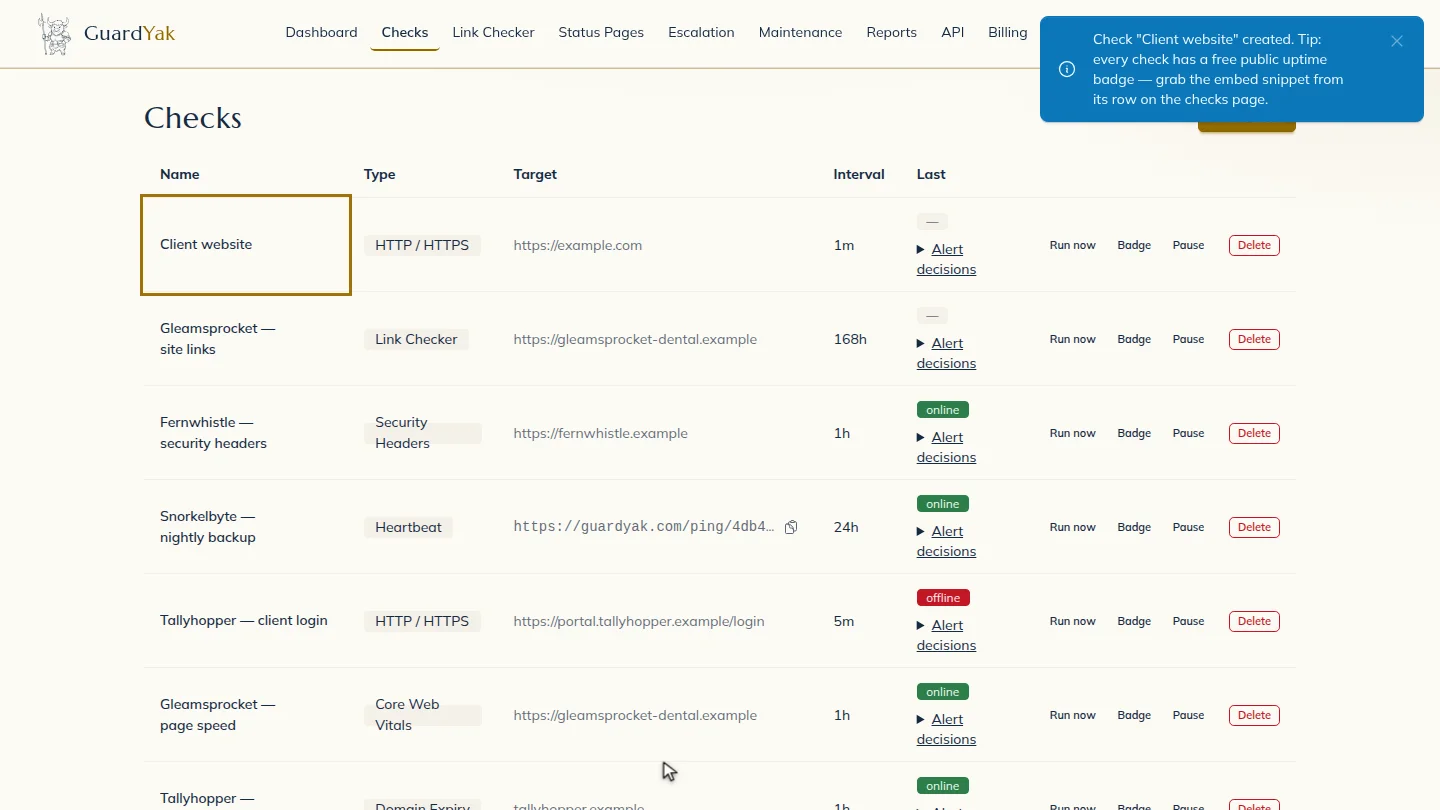
Create the check ▶ 0:33
Select Review, check the summary, then select Create check. The new check appears on Checks.
Next steps
Updated 2026-10-26
uptime monitor website monitoring http check site down alert ping my website